
AR demo · Plant monitoring
See a pump that tells you what's wrong
Most plant rooms are full of equipment that cannot report its own condition. Tap through this demo to see what a technician sees when that pump is retrofitted with sensors and an AR overlay.
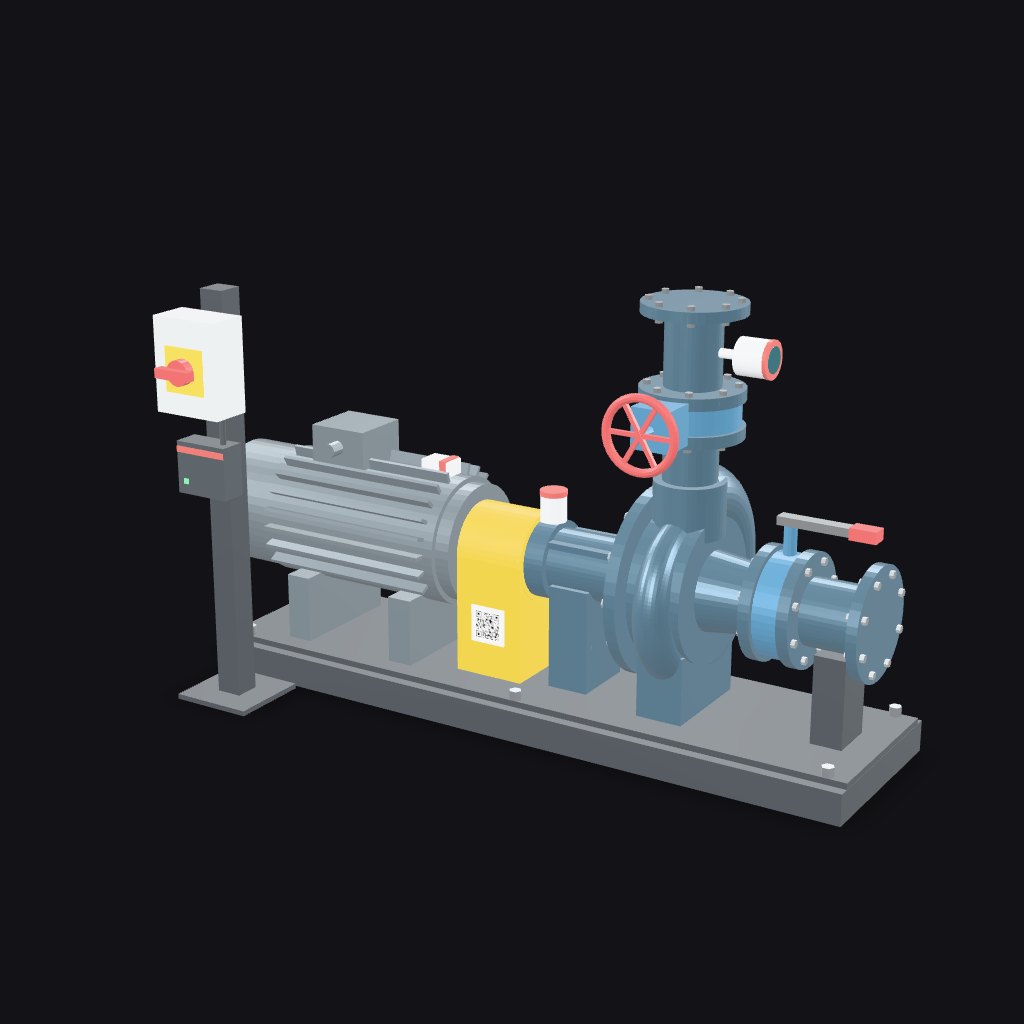
Pump monitoring demo
Identify the asset
- Identify the asset
- Monitoring
- Alert
- Diagnosis
- Guided check
- Work order
Tap the asset tag (point 1) to identify this pump, as a technician would scan the QR tag on site.
Android with Chrome: place the pump in your room and use the overlay in AR. iPhone and iPad: place the pump in your room, then return here for the interactive overlay. Desktop: interactive 3D.
How it works
From a quiet pump to a guided fix
- Sensors on the plant you already haveVibration, temperature and pressure sensors fit existing pumps, fans and motors. No replacement of working equipment.
- Rules that flag faults earlyReadings go through an edge gateway to your BMS, where limits and trends raise an alert before a failure stops the plant.
- Guided fixes with human sign-offThe alert opens a step-by-step check on the technician's phone. Safety steps cannot be skipped and a supervisor approves the changeover.
Text version
What happens in this demo
The same sequence as the 3D view, in text, so the page reads the same without 3D or with reduced motion.
Points on the model
- 1Asset tagIn the field, scanning this QR tag opens the asset's record: model, install date, service history and open work orders.
- 2Motor temperature sensorA surface-mounted sensor tracks motor temperature so overheating is flagged before it trips.
- 3Drive-end bearing vibration sensorA retrofit wireless vibration sensor on the bearing housing. Rising vibration is usually the earliest sign of bearing wear or misalignment.
- 4Mechanical sealWhere the shaft enters the pump casing. A leak here is a common secondary symptom of vibration.
- 5Discharge pressure transmitterMeasures the pressure the pump delivers. A drop at constant demand points to wear or a hydraulic problem.
- 6Isolator and edge gatewayThe local isolator used for lockout, and the edge gateway that sends readings to the BMS over the site network.
The sequence
- Identify. Scan the asset tag to open the record for Water transfer pump P-101.
- Monitor. Readings for de bearing vibration, motor temperature, discharge pressure, flow stay in their normal range.
- Alert. Vibration alert on P-101 drive-end bearing.
- Diagnose. Likely cause: drive-end bearing wear or shaft misalignment. Suggested by monitoring rules. A technician must confirm.
- Step 1: Confirm the symptom. From a safe distance, confirm abnormal noise or vibration at the drive-end bearing. Do not touch rotating parts.
- Step 2: Switch to standby pump. Request supervisor approval to start standby pump P-102 from the BMS, so the building keeps water pressure.
- Step 3: Isolate and lock out. Switch off at the local isolator, apply your lock and tag, and prove the pump is dead before any work. Lockout cannot be skipped.
- Step 4: Close the valves. Close the suction and discharge valves and release any residual pressure.
- Step 5: Inspect and record. Check the coupling alignment and the drive-end bearing. Record what you found.
- Close out. Findings, readings and approvals are compiled into a work order.
Simulated data and an illustrative procedure for demonstration only. Not a maintenance instruction. Always follow the manufacturer's manual and your site's safety rules.
Have plant that should be telling you more?
Tell us the equipment, the building and the system you already run. We will say what can be monitored and what it would take.